Keep a weekly screenshot of a client's landing page for your next review. This walkthrough uses our own Site-Shot homepage: start with one page and one checked image in Drive before scheduling regular captures.
The video uses these same starter files, with English narration and subtitles in 15 languages. Choose your language under Settings → Subtitles/CC, or turn captions off with CC. Follow the steps below at your own pace; automation requires a paid Site-Shot API plan.
The short answer
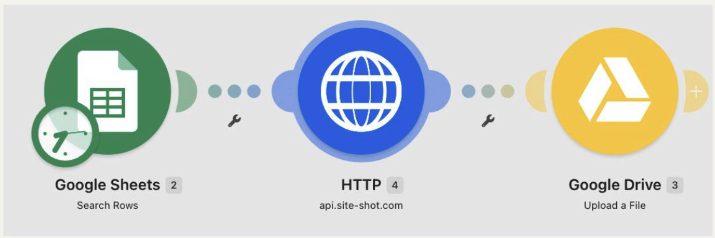
Use Google Sheets → Search Rows → HTTP → Download a file → Google Drive → Upload a file. Each active row gets a new, timestamped image on each successful run.
This uses Make's HTTP app, not a native Site-Shot app. The client review is an example, not a customer success story: people inspect the saved images, with no automatic change alerts.
- The short answer
- Check the page before connecting accounts
- Import the tested Make blueprint
- Create a small, explicit list of pages
- Download one screenshot as a file
- Save each capture as a new Drive file
- Turn a successful test into a recurring archive
- Make failures visible instead of filling gaps
- Keep file size, credits and scope under control
- FAQ
Check the page before connecting accounts
Try a public page you own or have permission to capture in the free Site-Shot browser tool. No signup is needed. Check that the content is readable; you will check the API result again in Drive.
For automation you need:
- A Make account and a Google Sheets connection.
- A Google Drive connection and a dedicated private folder.
- A Site-Shot account with confirmed email, an active paid API plan and its API key. Follow the API quickstart to set up the account and key. Plans and pricing start at $5/month for 2,000 screenshots, checked September 11, 2026. The free browser tool is not a free API tier.
Prepare Google access using Make's Google Drive instructions, which require a custom OAuth client for personal @gmail and @googlemail accounts. Create or select the connections inside the imported modules below. Follow the same guide for reauthorization requirements.
Import the tested Make blueprint
In an empty Make scenario, open More → Import blueprint (the three-dot menu), choose the downloaded JSON and save. The blueprint contains the three modules and mappings, but no API key, Google connections, spreadsheet ID or Drive folder ID.
Keep scheduling off during setup. In the next steps, select your own accounts, sheet, HTTP keychain and private folder. Make may preselect an existing Google connection, so check the account. Wait for fields to load and resolve required-field warnings; do not use Ignore warnings.
This blueprint was imported into a separate scenario and produced a visually checked PNG on September 10, 2026. It is not an approved listing in Make's template library.
Create a small, explicit list of pages
Import the starter CSV into a new Google Sheet. It contains:
| id | url | active |
|---|---|---|
| home | https://www.site-shot.com/ | yes |
| pricing | https://www.site-shot.com/pricing/ | no |
| blog | https://www.site-shot.com/blog/ | no |
For your client archive, replace the demo URLs with complete public https:// URLs. Keep IDs unique and stable, using letters, numbers or hyphens.
Open the imported Search Rows module. Select your Google connection, spreadsheet, sheet and header range. Filter active to equal yes and set Limit = 1. These are Make settings, not extra columns in the sheet.
Search Rows passes each matching row to the next modules; no Iterator is needed. Do not filter on an empty result-link column—that would stop repeat captures after the first file is saved.
Download one screenshot as a file
Open the imported HTTP → Download a file module. Configure the API-key credential in its keychain:
| Credential setting | Value |
|---|---|
| Authentication | API key |
| Placement | Query parameters |
| Parameter name | userkey |
| Key value | Your own Site-Shot API key |
Choose that keychain. Do not also paste the key into the URL or add another userkey query parameter.
The blueprint uses URL https://api.site-shot.com/ with these query parameters:
| Parameter | Value |
|---|---|
url |
Map the row's URL from Search Rows |
format |
png |
width |
1280 |
height |
900 |
full_size |
0 |
no_ads |
1 |
no_cookie_popup |
1 |
This captures a fixed 1280 × 900 area, not the whole page. Keep the same settings for later runs. Cleanup removes supported overlays, not necessarily every banner.
Enable Return error if HTTP request fails for 4xx/5xx responses. Use Download a file, not the separate Make a request module with different response-parsing controls. Configure Drive before running.
Save each capture as a new Drive file
Open the imported Google Drive → Upload a file module and select your Google connection. For Enter a Folder ID, choose Select from the list; set New Drive Location to My Drive and select your private New Folder Location.
Then choose Map under File:
- Data: map the HTTP module's binary Data output directly. Do not convert it to text or base64.
- File Name: insert the Sheets id mapping, type
__, insertformatDate(now; "YYYYMMDD-HHmmss-SSS"; "UTC"), then type.png. - New File Name: leave this optional override empty.
Set Convert a File: No to keep conversion to Google Docs off. Use Upload a file, not an update/replace operation. The pattern is <row-id>__<UTC-timestamp>.png.
Select Run once, then open the image in Drive. Check that it opens, shows the intended page rather than a login/challenge/blank screen, and is readable. Check access for the intended viewer without making the whole folder public. A green module or a .png extension alone is not enough.
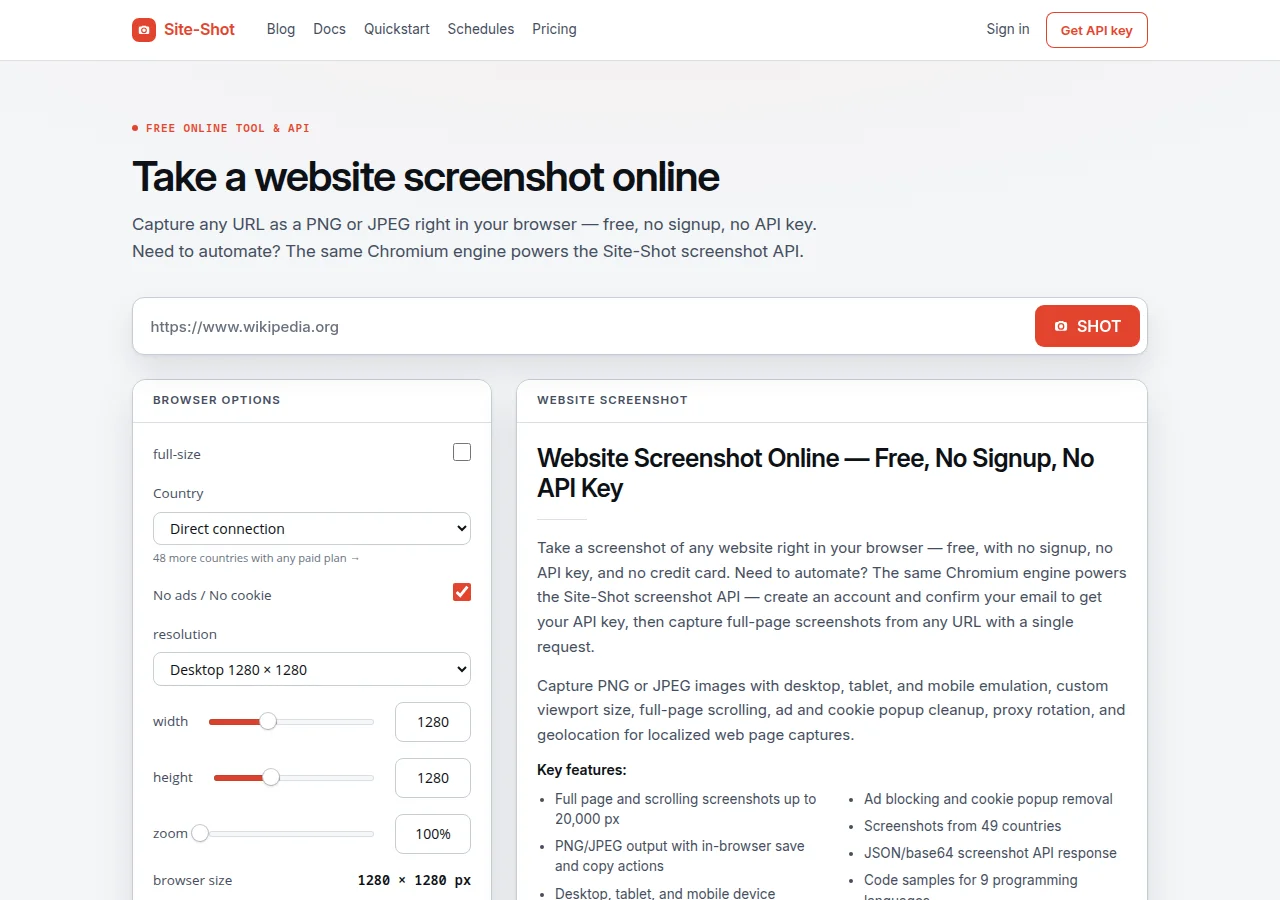 Open full-size image (1280 × 900, new tab)
home__20260910-170411-752.png. Shown here as WebP with the full 1280 × 900 viewport preserved—not a capture of your page or a new run.Turn a successful test into a recurring archive
Run the same active row a second time and open both files. You should have two separately openable Drive files, not one overwritten file. Our two manual tests on September 10 retained both copies; they do not demonstrate a week of history or a detected page change.
For the agency example, choose a weekly schedule after these checks pass. Make runs schedules in the organization timezone; the filename expression uses UTC. Your profile timezone only changes the history display. See Make's timezone documentation.
Observe the first scheduled execution and check its time and saved image. A manual Run once is not a scheduled test. If you add active pages, increase the Search Rows limit and check the output count. Turn scheduling off when your demo is finished.
At the client review, open the dated copy you want to discuss. It is a visual record for a conversation, not an automatic comparison report. Drive gives each upload a new file ID; timestamps help you find files but do not guarantee unique names.
Make failures visible instead of filling gaps
Keep the failed run visible and inspect it before another capture:
- Authentication error: check the selected keychain. For a negative test, use an isolated deliberately invalid key, not your real credential. Keep API keys and credential-bearing execution logs private; even a keychain-backed request can expose its key in a resolved URL.
- Upload timeout: an API capture may already have consumed allowance. Inspect Drive and run history before repeating it: the folder may contain a complete image or an incomplete, zero-byte file.
- Wrong or empty image: investigate the saved content. Do not change its extension, use yesterday's picture or mark it complete. This workflow does not automatically validate page content.
- Some rows missing: treat the run as a partial archive. Check which rows finished and whether another capture is wanted before repeating the batch.
Do not add Ignore or Resume handlers to hide errors. Keep Discard data if storage is full off in scenario settings. Make can automatically retry some connection and timeout errors; disabling incomplete-execution storage does not disable all retries. Review its backoff behaviour and automatic retry rules. Do not promise exactly-once delivery.
Keep file size, credits and scope under control
Budget separately for Site-Shot screenshots, Make credits and Drive storage. A screenshot is not necessarily one Make credit; inspect your actual run's usage and allow for tests and retries.
Make documents a 5 MB file limit on its Free plan. Check your file-handling limits before increasing dimensions; a fixed viewport does not guarantee every PNG fits. Full-page capture, a smaller viewport and JPEG are different requirements—not automatic replacements for a failed PNG. See the Python capture guide for full-page setup.
This demo sends no login credentials to the target page. Protected pages need a separate authorized authentication design. Test country-specific captures separately, too; this example does not establish geographic accuracy.
If you only need history inside Site-Shot, consider scheduled screenshots. Choose Make when the saved image needs to reach Drive or another business system.
FAQ
How do I save website screenshots to Google Drive with Make? Use Google Sheets Search Rows to select your active URLs, HTTP Download a file to call Site-Shot, and Google Drive Upload a file to save the binary output. Give each new file a row ID and UTC timestamp, then open it to check the result.
How do I capture the same pages every day? Select active rows on every scheduled run, rather than filtering for an empty screenshot cell. Use a new Drive upload for each capture. Check the organization timezone and observe a scheduled execution before relying on the archive.
Do I need to convert the binary screenshot into a URL? No. Map the downloaded file data directly into Google Drive. Base64 or text conversion does not create a link. Use the uploaded file ID or Drive link if another module needs a reference, and check its access permissions.
Is the Make screenshot workflow free? Site-Shot has a free browser tool with no signup, but the API requires an active paid plan. API plans start at $5/month for 2,000 screenshots, checked September 11, 2026. Make credits and Google Drive storage have their own limits and costs.
Does a successful scenario mean every screenshot is correct? No. A successful upload does not prove that the image contains the intended page. Inspect the saved files and test failures before enabling the schedule. This basic workflow stores captures; it does not automatically validate their page content.
Start with one checked image, not a full batch. Try your page in the free browser tool with no signup, then follow the API quickstart for paid automation. Keep scheduling off until you have opened both test files in Drive.
Stuck on a step? Email Site-Shot support with the module name and error message, with secrets removed. Never send an API key, a credential-bearing URL or a private execution log.